
Tehesu – Tech Support Services Website Template for WordPress Elementor
Tehesu – Tech Support Services Website Template for WordPress Elementor
Tehesu – Tech Support Services Website Template for WordPress Elementor
Tehesu – Tech Support Services Website Template for WordPress Elementor
Tehesu – Tech Support Services Website Template for WordPress Elementor
Tehesu – Tech Support Services Website Template for WordPress Elementor
Tehesu – Tech Support Services Website Template for WordPress Elementor
Tehesu – Tech Support...
Tehesu – Tech Support Services Website Template for WordPress Elementor
Premium
Template Information
Premium Subscription
Full Site Import, Template Kit Import
Elementor Container

01. Install & Activate Plugin
- Go to Plugins → Add New
- Search for Wira Templates
- Click Install and then Activate
- Make sure Elementor is also installed and active
02. Open Template Library
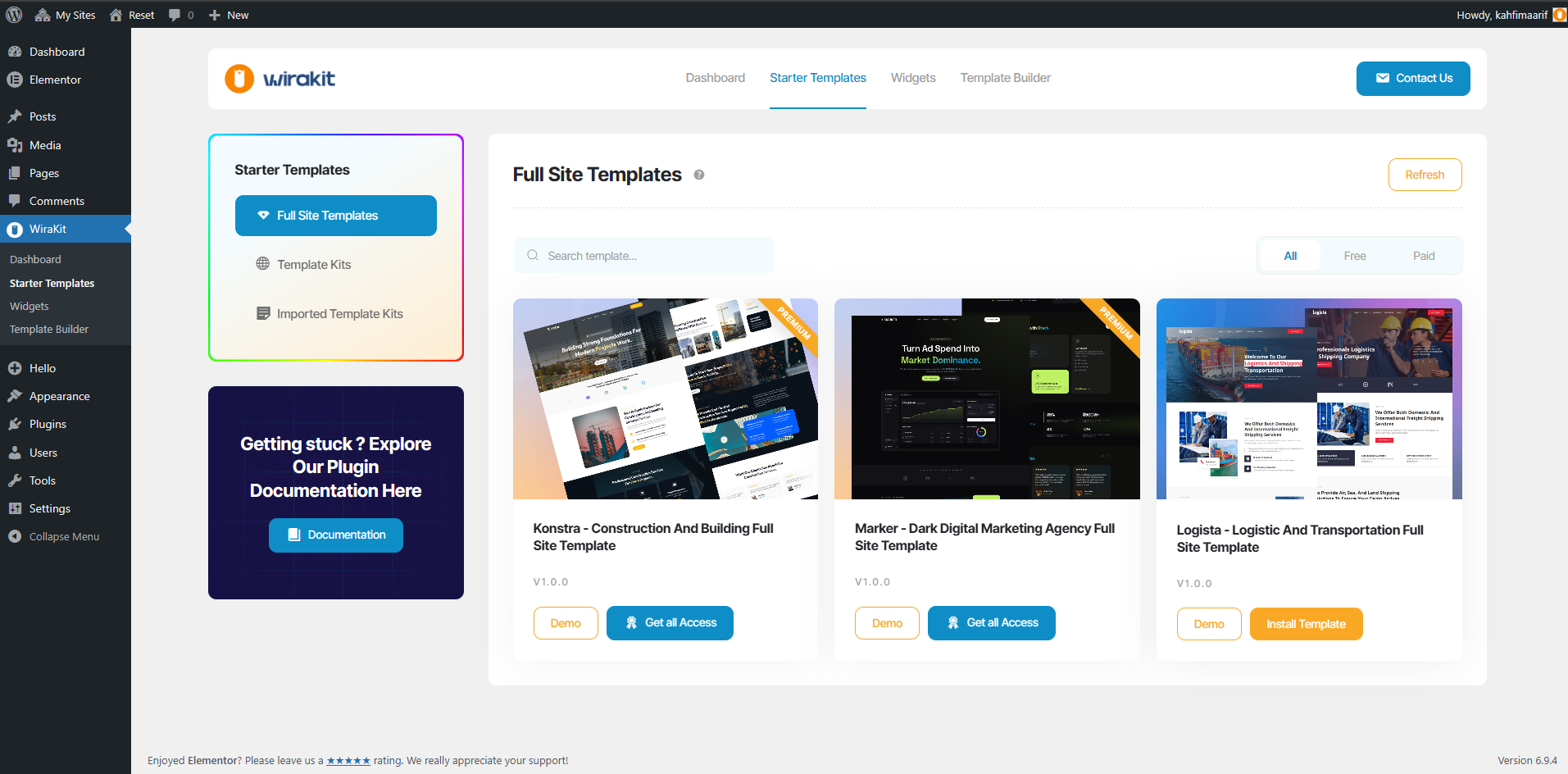
- If not Use Wira Theme Go to Wira Templates → Starter Templates
- If Use Wira Theme Go to Wira Theme → Starter Templates
- Select Full Site Templates / Template Kits
- Browse available templates (Free or Premium)
Select Template
- Choose the template you want to use
- Choose the template you want to use Click Install Template

03. Confirm Import
- A modal will appear with template details
- Review the warning and features
- Click Start Import

04. Check Required Plugins
- The system will check required plugins
- Make Sure Plugin Dependency was Checked
- Click Complete Setup
- Then click Next Step

05. Ready to Import
Review what will be imported:
- Elementor Templates
- ACF/SCF Template
- Forms
- Images
Click Start Import Template

06. Import Process
- The system will start importing automatically
- Progress will be shown inside the modal
- Do not close or reload the page during this process
Import Completed
- Wait until the process reaches 100%
- Template will be installed successfully
- Your website is now ready

07. Final Step
- Visit your site to see the result
- Edit pages using Elementor if needed
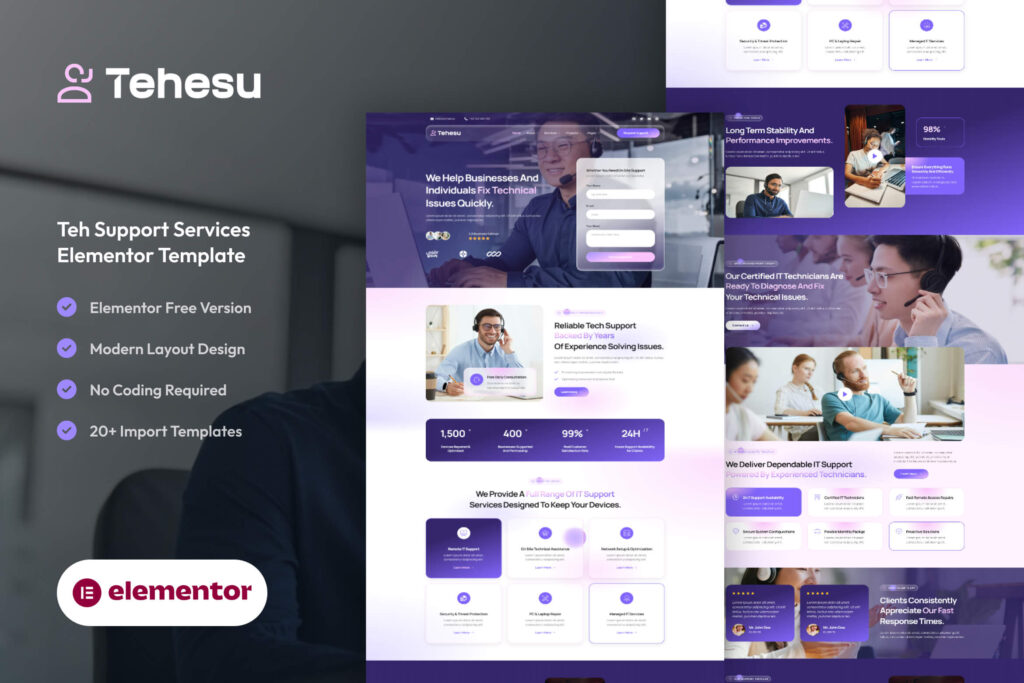
Tehesu – Tech Support Services Website Template for WordPress Elementor is a modern and professional IT support website template designed for technical support companies, managed IT service providers, computer repair businesses, help desk teams, and technology consultants. Built with a clean layout and strong visual hierarchy, Tehesu helps you showcase your IT services, technical expertise, and customer support solutions with confidence.
Designed to highlight reliability, responsiveness, and technical excellence, this template includes all essential sections such as IT services, support solutions, company overview, service plans, testimonials, pricing packages, team members, FAQs, and blog layouts—making it perfect for creating a complete technology support website.
Tehesu focuses on clarity and usability while maintaining a modern technology-driven visual impact, ensuring your visitors can quickly understand your services and request technical assistance.
This template is fully ready to use and supports Full Site Import (Theme Demo Importer), allowing you to launch your website quickly without any hassle.
Key Features:
- Clean and professional tech support-focused design
- Fully responsive and mobile-friendly layout
- Ready-made pages for IT services and technical support
- Help desk and managed IT service sections
- Service plans and maintenance packages
- Testimonials, team members, and FAQ sections
- Blog layouts for technology news, security tips, and IT insights
- Easy customization with Elementor
- Fast performance and optimized structure
Whether you are building a website for an IT support company, managed service provider, computer repair business, or technology consultant, Tehesu provides everything you need to create a reliable and professional online presence.